


aACE software blog -  a complete resource for SMBs looking to improve their business processes. Read our articles on all things CRM, Accounting Software, ERP, Inventory Management & more

Stay up-to-date on product releases, company announcements, press coverage, and all things aACE.

aACE software blog -  a complete resource for SMBs looking to improve their business processes. Read our articles on all things CRM, Accounting Software, ERP, Inventory Management & more

Stay up-to-date on product releases, company announcements, press coverage, and all things aACE.

Read more about Top 5 Reasons Why You Need a CRM

Top 5 Reasons Why You Need a CRM

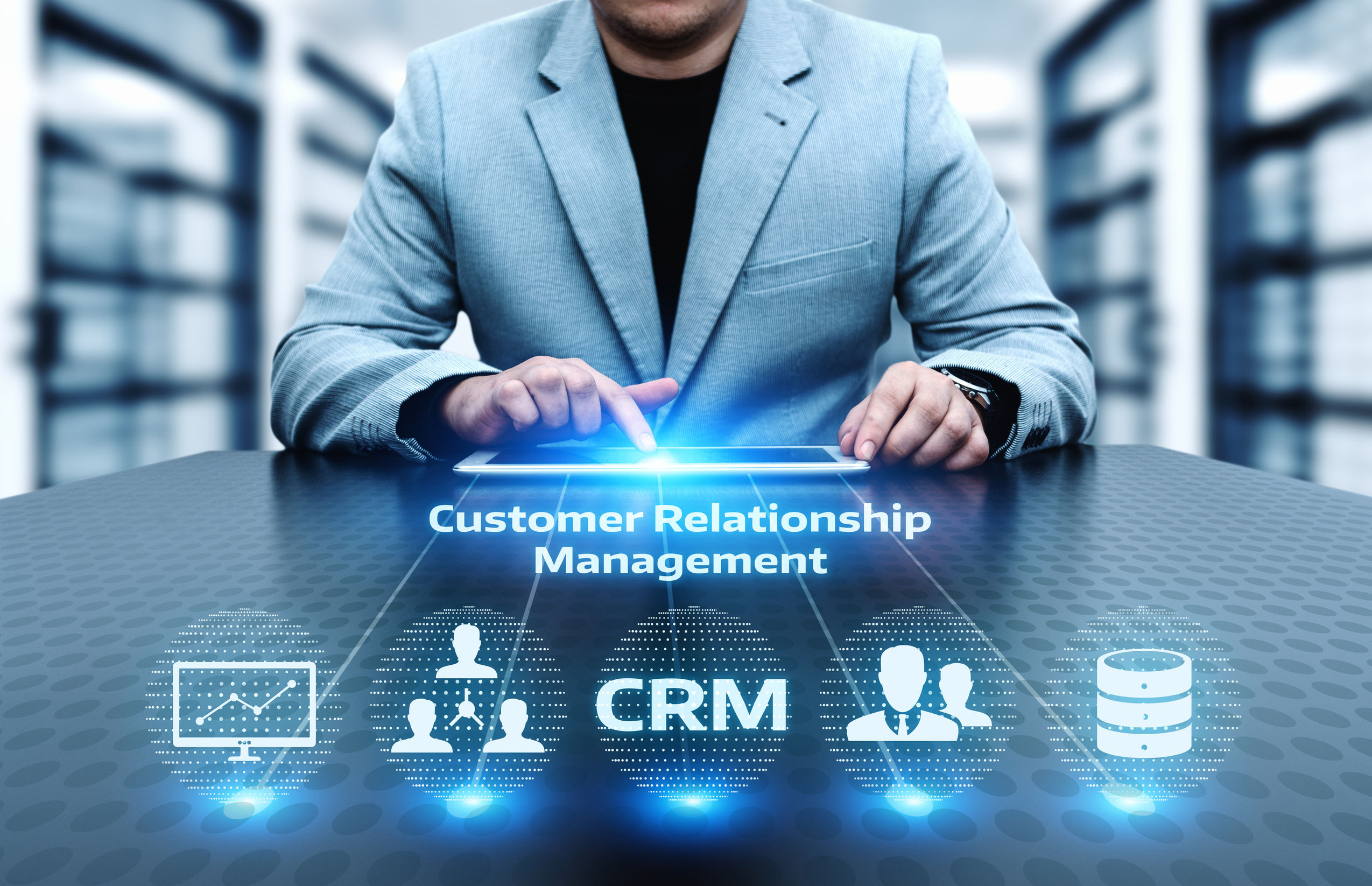
Business operations doesn’t sound very exciting, but the truth is that the systems you use to run your business are more important than ever. With today’s digitized workforce, there are now a myriad of products out there that claim to help operations run as smoothly as possible⁠ — and you need to be implementing one of them. Some of these software products are staggering in their complexity and scope, and it’s easy to get overwhelmed. Let’s start, therefore, with the “bread and butter” of business operations, which is Customer Relationship Management (CRM) software.

What is a CRM Program?

A CRM is designed to help you keep track of all aspects of relationships between your business and the customers being served. In the beginning, CRMs were little more than databases with contact information, and perhaps fields to hand-enter notes about sales. These days, there are CRM software packages that tie sales directly in with orders/inventory, document all interactions with customers (and potential customers), and even tie in with digital marketing outreach tools.

Today, many CRMs can also gather information about customer interactions, sales rates, and other metrics and display easy-to-follow analytic information that gives a “bird’s eye view” of how sales are doing. With the complexity and level of involvement that a CRM is going to have in your company’s business operations, it’s important to take the time to make the right choice. Still not convinced that it’s worth the time and upfront investment? Keep reading to learn the top 5 reasons why you need to implement a CRM now.

Reason 1. Your Company Will Be More Efficient

Good CRM software will have the ability to standardize complex operations. For example, onboarding new clients/customers is an infamously time-heavy endeavour. Save time and bandwidth by standardizing and automating much of this process.

The “Bird’s Eye View” discussed above also has important implications for team management and quality improvement. Having a live view of sales statistics can help managers better quantify employee performance. A good CRM also makes it easy to spot products or processes that are negatively impacting customer satisfaction. Finally, if your company sells physical goods, a CRM that either provides live inventory information or integrates with program that does will allow leadership to more accurately plan out wholesale purchasing.

Reason 2. Customer Service (and Relationships) Will Improve

Many CRM programs sell themselves as invaluable tools to improve business relationships, and while modern CRMs might do a lot more than relationship management, this founding cornerstone of the product is still one of its most important features. Essentially, because a good CRM will document all touchpoints with clients and potential clients, your sales and support teams will have easy access to the “whole picture.” This includes the client’s contact information, any professional quotes provided by the sales team, all previous comments and interactions, and ordering history.

Simply having this information quickly available will help both support and sales teams provide more flexible, responsive, and personalized service to all customers and potential customers alike. Ideally, this will translate into increased customer retention, good reviews, and a more positive experience for your employees, too.

Reason 3. Your Data Will Be Centralized & Secure

One reason that some companies hold off on implementing a CRM is the unpleasant logistical process of migrating all of your old information into one centralized database. There are many reasons why migrating to a CRM is worth it, and if the customer service argument isn’t enough to convince Accounting to sign off on it, data security very well might be a critical point to make.

Sure, relying on a hodgepodge of spreadsheets, collaborative Word files, and rolodexes might have worked during the 90s, but today, leaving this information in unsecured format puts you at risk of catastrophe. While a data breach⁠ is probably the first thing that comes to mind, remember that you could also lose all of your local files should the office computer fail one day. For the most part, CRMs provide automatic secure storage and backup of company information. For the reasons listed above, make sure the programs you’re considering do have this feature.

Reason 4. You’ll Be Ready For Growth

We already know that centralizing and standardizing business operations can make many business processes more efficient. Especially if you pick a CRM with built-in analytics tools, your various internal teams will have to spend significantly less time getting an accurate picture of what is going on within the company at any given time.

This increased time means more bandwidth for teams to spend doing the work that really matters: improving your product or service, finding new customers, and growing the business. For companies looking for funding or acquisition from a 3rd party, having a good CRM in place means your operations are more transparent, potentially making you more attractive to investors.

Reason 5. The Competition is Already Using One

Know that your competition is already doing everything it can to streamline business operations and expand; most likely, they are running some kind of software to help them do this. Implementing a CRM keeps your business competitive and responsive to change, while helping you to provide a higher level of personalized customer service that your clients and business partners may have come to expect in the field.

Finally, data from your CRM might even help you compete with other businesses in a different way. Namely, your teams may be able to use up some of the newfound time that was previously spent reconciling numbers, communicating back-and-forth, or trying to find information to really dig into the CRM’s analytical tools. Customer behavior and buying patterns are powerful indicators of future trends; having a good CRM in place could mean the difference between catching onto the “next big thing” or getting left behind in the proverbial non-digital dust.


Sold on the idea of a CRM solution but have no idea where to start? Check out our intuitive CRM engine that fully integrates with all of aACE’s operations tools, from order management to shipping and receiving. And to learn more about what else aACE can do for your business, register for a webinar today.

"Without much training you can logically understand how this program fits into our work environment. It has a comprehensive Customer Relationship Management section that leads into prospective customers becoming real customers. From that point you can take an order from start to finish by capturing deadlines, resources and material costs spent on a project, as well as extensive accounting functions. The program is user friendly and easy enough for our whole staff, with varying levels of technical skills to embrace." ~Lili Hall, President, KNOCK
Learn More

As a small- or medium-sized business owner, you’re always looking for ways to run your own organization better to get a leg up on the competition. While you’ve surely devoted plenty of time to branding, product sourcing, and even hiring the right people, there is one crucial step you may be... Learn More

-->

As a small- or medium-sized business owner, you’re always looking for ways to run your own organization better to get a leg up on the competition. While you’ve surely devoted plenty of time to branding, product sourcing, and even hiring the right people, there is one crucial step you may be missing.

Business operations doesn’t sound very exciting, but the truth is that the systems you use to run your business are more important than ever. With today’s digitized workforce, there are now a myriad of products out there that claim to help operations run as smoothly as possible⁠ — and you need to be implementing one of them. Some of these software products are staggering in their complexity and scope, and it’s easy to get overwhelmed. Let’s start, therefore, with the “bread and butter” of business operations, which is Customer Relationship Management (CRM) software.

What is a CRM Program?

A CRM is designed to help you keep track of all aspects of relationships between your business and the customers being served. In the beginning, CRMs were little more than databases with contact information, and perhaps fields to hand-enter notes about sales. These days, there are CRM software packages that tie sales directly in with orders/inventory, document all interactions with customers (and potential customers), and even tie in with digital marketing outreach tools.

Today, many CRMs can also gather information about customer interactions, sales rates, and other metrics and display easy-to-follow analytic information that gives a “bird’s eye view” of how sales are doing. With the complexity and level of involvement that a CRM is going to have in your company’s business operations, it’s important to take the time to make the right choice. Still not convinced that it’s worth the time and upfront investment? Keep reading to learn the top 5 reasons why you need to implement a CRM now.

Reason 1. Your Company Will Be More Efficient

Good CRM software will have the ability to standardize complex operations. For example, onboarding new clients/customers is an infamously time-heavy endeavour. Save time and bandwidth by standardizing and automating much of this process.

The “Bird’s Eye View” discussed above also has important implications for team management and quality improvement. Having a live view of sales statistics can help managers better quantify employee performance. A good CRM also makes it easy to spot products or processes that are negatively impacting customer satisfaction. Finally, if your company sells physical goods, a CRM that either provides live inventory information or integrates with program that does will allow leadership to more accurately plan out wholesale purchasing.

Reason 2. Customer Service (and Relationships) Will Improve

Many CRM programs sell themselves as invaluable tools to improve business relationships, and while modern CRMs might do a lot more than relationship management, this founding cornerstone of the product is still one of its most important features. Essentially, because a good CRM will document all touchpoints with clients and potential clients, your sales and support teams will have easy access to the “whole picture.” This includes the client’s contact information, any professional quotes provided by the sales team, all previous comments and interactions, and ordering history.

Simply having this information quickly available will help both support and sales teams provide more flexible, responsive, and personalized service to all customers and potential customers alike. Ideally, this will translate into increased customer retention, good reviews, and a more positive experience for your employees, too.

Reason 3. Your Data Will Be Centralized & Secure

One reason that some companies hold off on implementing a CRM is the unpleasant logistical process of migrating all of your old information into one centralized database. There are many reasons why migrating to a CRM is worth it, and if the customer service argument isn’t enough to convince Accounting to sign off on it, data security very well might be a critical point to make.

Sure, relying on a hodgepodge of spreadsheets, collaborative Word files, and rolodexes might have worked during the 90s, but today, leaving this information in unsecured format puts you at risk of catastrophe. While a data breach⁠ is probably the first thing that comes to mind, remember that you could also lose all of your local files should the office computer fail one day. For the most part, CRMs provide automatic secure storage and backup of company information. For the reasons listed above, make sure the programs you’re considering do have this feature.

Reason 4. You’ll Be Ready For Growth

We already know that centralizing and standardizing business operations can make many business processes more efficient. Especially if you pick a CRM with built-in analytics tools, your various internal teams will have to spend significantly less time getting an accurate picture of what is going on within the company at any given time.

This increased time means more bandwidth for teams to spend doing the work that really matters: improving your product or service, finding new customers, and growing the business. For companies looking for funding or acquisition from a 3rd party, having a good CRM in place means your operations are more transparent, potentially making you more attractive to investors.

Reason 5. The Competition is Already Using One

Know that your competition is already doing everything it can to streamline business operations and expand; most likely, they are running some kind of software to help them do this. Implementing a CRM keeps your business competitive and responsive to change, while helping you to provide a higher level of personalized customer service that your clients and business partners may have come to expect in the field.

Finally, data from your CRM might even help you compete with other businesses in a different way. Namely, your teams may be able to use up some of the newfound time that was previously spent reconciling numbers, communicating back-and-forth, or trying to find information to really dig into the CRM’s analytical tools. Customer behavior and buying patterns are powerful indicators of future trends; having a good CRM in place could mean the difference between catching onto the “next big thing” or getting left behind in the proverbial non-digital dust.


Sold on the idea of a CRM solution but have no idea where to start? Check out our intuitive CRM engine that fully integrates with all of aACE’s operations tools, from order management to shipping and receiving. And to learn more about what else aACE can do for your business, register for a webinar today.

"Without much training you can logically understand how this program fits into our work environment. It has a comprehensive Customer Relationship Management section that leads into prospective customers becoming real customers. From that point you can take an order from start to finish by capturing deadlines, resources and material costs spent on a project, as well as extensive accounting functions. The program is user friendly and easy enough for our whole staff, with varying levels of technical skills to embrace." ~Lili Hall, President, KNOCK
Learn More

Read more about Learn How to Increase Your Operational Efficiency in Our November Webinars

Learn How to Increase Your Operational Efficiency in Our November Webinars

November 4th – Production

Your production process has a lot of moving parts, and your business depends on keeping them all running smoothly. Learn how aACE can help.

November 6th – Made to Stock Inventory

If you build products to stock according to anticipated consumer demand, this is the webinar for you. Learn how aACE handles MTS inventory from replenishment to cost application and beyond.

November 11th – Inventory Reorder Management

Ensure you always have the right number of products at the right time with aACE's smart inventory reorder management tools. And to get a sneak peek at this powerful feature, check out our feature highlight.

November 13th – Accounting Basics

Learn how aACE's fully-integrated accounting tools can help increase visibility into your business's financials, save time, and reduce the potential for errors caused by duplicate data entry.

November 18th – aACE CRM App and Sales Leads

Your sales team is moving fast to keep your customers and prospects engaged, and they need a solution that can keep up – even when they're on the go. See our CRM App in action and learn more about how sales leads move through aACE. Check out our feature highlight for a sneak peek before the presentation.

November 20th – System Administration

Take an advanced look at aACE system administration. Learn how aACE makes it easy to manage system preferences, user access privileges, and system notices. Our powerful segregation-of-duties tools gives you full control over what your users can see and do.

Register now to save your spot! We look forward to seeing you in our webinars and hearing your questions during the presentations.

Learn More

Discover what a comprehensive business management solution can do for you in our November webinars. Last month, we covered topics ranging from the very basics of aACE to accounting, inventory, and order management. Here's what we have in store next: November 4th – Production Your production... Learn More

-->

Discover what a comprehensive business management solution can do for you in our November webinars. Last month, we covered topics ranging from the very basics of aACE to accounting, inventory, and order management. Here's what we have in store next:

November 4th – Production

Your production process has a lot of moving parts, and your business depends on keeping them all running smoothly. Learn how aACE can help.

November 6th – Made to Stock Inventory

If you build products to stock according to anticipated consumer demand, this is the webinar for you. Learn how aACE handles MTS inventory from replenishment to cost application and beyond.

November 11th – Inventory Reorder Management

Ensure you always have the right number of products at the right time with aACE's smart inventory reorder management tools. And to get a sneak peek at this powerful feature, check out our feature highlight.

November 13th – Accounting Basics

Learn how aACE's fully-integrated accounting tools can help increase visibility into your business's financials, save time, and reduce the potential for errors caused by duplicate data entry.

November 18th – aACE CRM App and Sales Leads

Your sales team is moving fast to keep your customers and prospects engaged, and they need a solution that can keep up – even when they're on the go. See our CRM App in action and learn more about how sales leads move through aACE. Check out our feature highlight for a sneak peek before the presentation.

November 20th – System Administration

Take an advanced look at aACE system administration. Learn how aACE makes it easy to manage system preferences, user access privileges, and system notices. Our powerful segregation-of-duties tools gives you full control over what your users can see and do.

Register now to save your spot! We look forward to seeing you in our webinars and hearing your questions during the presentations.

Learn More

Read more about Reduce Picking Errors in Small Parts Orders with These 4 Tactics

Reduce Picking Errors in Small Parts Orders with These 4 Tactics

There are 4 simple things that you can do to help your workers stop miscounting, dropping, or incorrectly labeling small components. Keep reading to find out some classic causes of picking errors and what you can do about them.

Four Tactics to Reduce Small Parts Order Picking Errors

When it comes to warehouse operations, small parts can be a tricky business. When compared to larger products, small components are more likely to be miscounted, incorrectly measured, or dropped.

Since the demand for orders containing smaller parts is not going away, businesses instead need to look toward innovative problem-solving ideas. Several surprisingly simple interventions can make the process of picking, handling, and packing easier for everyone from the supply chain manager to the worker handling the product.

Before you begin reading about solutions, however, make sure you have a thorough understanding of the problems your specific facility is experiencing. For example, mislabeled products point to a different problem than packing counts that are off. Is there a process in place that workers are finding difficult, or another potential bottleneck that’s causing problems? It’s worth it to speak to floor managers for their input.

Tip # 1: Store Smarter

Many hospitals have already picked up on the “similarity is dangerous” concept and banned the storing of two medications with similar names next to each other. Companies that require the picking and sorting of small parts could also benefit from this logic.

If two items are frequently getting mislabeled, mixed up, or are ending up in the wrong place, consider placing a different-sized (or shaped) item between them. If that isn’t possible, consider color-coding labels or some other easy visual reminder.

While we’re on the subject of how the warehouse is storing products, it’s also important to ensure that pickers have enough space to operate fully, and easily see the difference between containers of components.

Tip #2: Use the Buddy System

There’s a reason why NASA built two of every system onto their lunar exploration spacecraft. Having a backup (or second pair of eyes) is invaluable if there is a mistake or failure. In some cases, the other tips on this list can’t be implemented. However, the “buddy system”, or requiring one employee to check another’s work for errors, is time-honored and fairly simple to put into place.

Especially if you’ve been experiencing a significant amount of errors in your facility, having a backup to check everyone’s work could save you valuable time that was previously being spent finding and correcting errors.

When it comes to two workers checking each other’s orders, it’s also important to remember to rotate workers through jobs so that they stay engaged and motivated. If workers routinely are rotated to new positions, it helps control burnout and increases productivity.

Tip #2: Consider a Smart Voice System

Unlike the “buddy system”, this tip applies to workspaces that have more advanced technology. For jobs that require complex counting or indexing, a voice-tracking system can be tremendously helpful. This would allow a worker to work with mentally easier denominations like 5 or 10; with a voice tracker, she could count six sets of ten instead of counting from 1-60, vastly reducing the opportunity to make a counting mistake.

Although some accounting departments can balk at adding the costs of worker-assistant solutions like this one, a thorough calculation of time saved on improved worker efficiency and decreased errors could very well prove that such a system will easily pay for itself.

Tip #3: Pack with Purpose

Explore your supply chain: is there any way that smaller composite parts can be pre-bundled into packs of 5 or 10? For example, when a worker is sorting parts for an electronic device, being able to grab 4 packs of 5 components each not only saves time, it reduces the risk of counting errors. While this does require another level of counting, it’s worth exploring if there’s a way to separate the “pre-packing” from the high-speed environment of actually getting a live order fulfilled.

Another side of reducing counting errors is to give customers a small financial incentive to order round or even numbers. While this is only applicable to certain industries, it’s worth giving a shot.

Tip #4: Evaluate Your Work Environment

Especially if you’ve put other error control measures into place and still keep getting errors, it’s time to go back to the introduction of this article and consider whether the processes you have in place are the most effective way for your employees to get the job done. Is the pace of the operation simply moving too fast? Are workers more concerned with quota than accuracy? Try to interview people from every level of the warehouse to evaluate if there’s anything you can do.

If you can view individual picker’s work histories and error records, consider distributing your best employees to be near temps or new hires. While it’s tempting to focus only on statistics when looking at a worker (and disciplining those whose numbers are unsatisfactory), remember that this can lead to morale problems; consider putting positive reinforcements in place instead.


If you’re ready to take your business to the next level of performance and efficiency, it’s time to look at one-stop software solutions that cover all of your businesses’ needs in one integrated, easy-to-use platform. Read more about what an ERP can do for your business, and join a webinar today to see aACE in action.

"I would recommend this software to anyone wanting to simplify his or her workflow, anyone who wants their software to work for them and not the other way around, and anyone tired of the ERP money pit!" -Todd Breedlove, Vice President, Knight Hardwood Flooring Inc.

Learn More

Struggling with small-part picking errors in your warehouse? There are 4 simple things that you can do to help your workers stop miscounting, dropping, or incorrectly labeling small components. Keep reading to find out some classic causes of picking errors and what you can do about them. Four... Learn More

-->

Struggling with small-part picking errors in your warehouse?

There are 4 simple things that you can do to help your workers stop miscounting, dropping, or incorrectly labeling small components. Keep reading to find out some classic causes of picking errors and what you can do about them.

Four Tactics to Reduce Small Parts Order Picking Errors

When it comes to warehouse operations, small parts can be a tricky business. When compared to larger products, small components are more likely to be miscounted, incorrectly measured, or dropped.

Since the demand for orders containing smaller parts is not going away, businesses instead need to look toward innovative problem-solving ideas. Several surprisingly simple interventions can make the process of picking, handling, and packing easier for everyone from the supply chain manager to the worker handling the product.

Before you begin reading about solutions, however, make sure you have a thorough understanding of the problems your specific facility is experiencing. For example, mislabeled products point to a different problem than packing counts that are off. Is there a process in place that workers are finding difficult, or another potential bottleneck that’s causing problems? It’s worth it to speak to floor managers for their input.

Tip # 1: Store Smarter

Many hospitals have already picked up on the “similarity is dangerous” concept and banned the storing of two medications with similar names next to each other. Companies that require the picking and sorting of small parts could also benefit from this logic.

If two items are frequently getting mislabeled, mixed up, or are ending up in the wrong place, consider placing a different-sized (or shaped) item between them. If that isn’t possible, consider color-coding labels or some other easy visual reminder.

While we’re on the subject of how the warehouse is storing products, it’s also important to ensure that pickers have enough space to operate fully, and easily see the difference between containers of components.

Tip #2: Use the Buddy System

There’s a reason why NASA built two of every system onto their lunar exploration spacecraft. Having a backup (or second pair of eyes) is invaluable if there is a mistake or failure. In some cases, the other tips on this list can’t be implemented. However, the “buddy system”, or requiring one employee to check another’s work for errors, is time-honored and fairly simple to put into place.

Especially if you’ve been experiencing a significant amount of errors in your facility, having a backup to check everyone’s work could save you valuable time that was previously being spent finding and correcting errors.

When it comes to two workers checking each other’s orders, it’s also important to remember to rotate workers through jobs so that they stay engaged and motivated. If workers routinely are rotated to new positions, it helps control burnout and increases productivity.

Tip #2: Consider a Smart Voice System

Unlike the “buddy system”, this tip applies to workspaces that have more advanced technology. For jobs that require complex counting or indexing, a voice-tracking system can be tremendously helpful. This would allow a worker to work with mentally easier denominations like 5 or 10; with a voice tracker, she could count six sets of ten instead of counting from 1-60, vastly reducing the opportunity to make a counting mistake.

Although some accounting departments can balk at adding the costs of worker-assistant solutions like this one, a thorough calculation of time saved on improved worker efficiency and decreased errors could very well prove that such a system will easily pay for itself.

Tip #3: Pack with Purpose

Explore your supply chain: is there any way that smaller composite parts can be pre-bundled into packs of 5 or 10? For example, when a worker is sorting parts for an electronic device, being able to grab 4 packs of 5 components each not only saves time, it reduces the risk of counting errors. While this does require another level of counting, it’s worth exploring if there’s a way to separate the “pre-packing” from the high-speed environment of actually getting a live order fulfilled.

Another side of reducing counting errors is to give customers a small financial incentive to order round or even numbers. While this is only applicable to certain industries, it’s worth giving a shot.

Tip #4: Evaluate Your Work Environment

Especially if you’ve put other error control measures into place and still keep getting errors, it’s time to go back to the introduction of this article and consider whether the processes you have in place are the most effective way for your employees to get the job done. Is the pace of the operation simply moving too fast? Are workers more concerned with quota than accuracy? Try to interview people from every level of the warehouse to evaluate if there’s anything you can do.

If you can view individual picker’s work histories and error records, consider distributing your best employees to be near temps or new hires. While it’s tempting to focus only on statistics when looking at a worker (and disciplining those whose numbers are unsatisfactory), remember that this can lead to morale problems; consider putting positive reinforcements in place instead.


If you’re ready to take your business to the next level of performance and efficiency, it’s time to look at one-stop software solutions that cover all of your businesses’ needs in one integrated, easy-to-use platform. Read more about what an ERP can do for your business, and join a webinar today to see aACE in action.

"I would recommend this software to anyone wanting to simplify his or her workflow, anyone who wants their software to work for them and not the other way around, and anyone tired of the ERP money pit!" -Todd Breedlove, Vice President, Knight Hardwood Flooring Inc.

Learn More

Read more about Claris International Introduces FileMaker Marketplace

Claris International Introduces FileMaker Marketplace

At aACE Software, we know that having a strong workplace innovation platform can mean the difference between a business that's thriving versus one that's struggling to keep up. That's why we built aACE on the FileMaker platform. aACE is a powerful business management solution for Mac and PC, robust enough to handle your company's core operations out of the box yet flexible enough to be customized for your particular workflows. And thanks to the new FileMaker Marketplace, it's easier than ever to extend your aACE solution's functionality with a host of FileMaker-based integrations.

To learn more about how integrating aACE with other FileMaker solutions can help improve the speed and efficiency of your company's operations, check out our success story on the aACE+ DayBack calendar integration. And to see aACE in action, register for a webinar today!

“All of the information we need is now contained and accessible and linked together, so a sales person can click on their order and see when purchase orders are due in or when shipments are due in and what has been ordered. Company-wide, the need for internal follow-ups has been reduced by somewhere between 24 and 36 hours per week." - Lance Caffery, Chief Production Officer, American Christmas
Learn More

The past few months have been a time of exciting changes at Claris International – including the rebranding of the company formerly known as FileMaker, Inc. Among these new developments is the launch of FileMaker Marketplace, a new easily-searchable directory of FileMaker-based solutions that... Learn More

-->

The past few months have been a time of exciting changes at Claris International – including the rebranding of the company formerly known as FileMaker, Inc. Among these new developments is the launch of FileMaker Marketplace, a new easily-searchable directory of FileMaker-based solutions that allows users to quickly find the apps, templates, trainings, and other products that best meet their needs. We're delighted to share that aACE 5 has been given a prime spot as a featured listing!

At aACE Software, we know that having a strong workplace innovation platform can mean the difference between a business that's thriving versus one that's struggling to keep up. That's why we built aACE on the FileMaker platform. aACE is a powerful business management solution for Mac and PC, robust enough to handle your company's core operations out of the box yet flexible enough to be customized for your particular workflows. And thanks to the new FileMaker Marketplace, it's easier than ever to extend your aACE solution's functionality with a host of FileMaker-based integrations.

To learn more about how integrating aACE with other FileMaker solutions can help improve the speed and efficiency of your company's operations, check out our success story on the aACE+ DayBack calendar integration. And to see aACE in action, register for a webinar today!

“All of the information we need is now contained and accessible and linked together, so a sales person can click on their order and see when purchase orders are due in or when shipments are due in and what has been ordered. Company-wide, the need for internal follow-ups has been reduced by somewhere between 24 and 36 hours per week." - Lance Caffery, Chief Production Officer, American Christmas
Learn More

Read more about Seedcode Spotlights aACE+ DayBack Calendar Integration

Seedcode Spotlights aACE+ DayBack Calendar Integration

The aACE+ DayBack calendar's advanced filtering features allow you to focus on the information you need to see while easily hiding the records you don't. Whether you're looking at a single day's worth of tasks or checking out what's on the horizon for the entire quarter, the aACE+ DayBack calendar can help you see at a glance what you need to get done and when. Learn how longtime aACE customer Gable gained real-time visibility throughout their company after implementing the calendar, then check out this video to see what the aACE+ DayBack calendar can do for your business.

“The best feature of the aACE + DayBack calendar is just the calendar itself. We never had this type of visibility before. Now I can see a job coming, even before I get the work order. From the more detailed features, I most enjoy the interactive control – I can make real-time changes simply by dragging and dropping info from different dates to different resources. It used to be an admin-heavy task to do those things via spreadsheets. Having this click-and-drag functionality makes it quite a bit easier.” - Jimmie Wolfe, Director of Field Operations, Gable
Learn More

The aACE+ DayBack integration combines aACE's powerful business management solution for Mac and PC with Seedcode's flexible and easy to use DayBack calendar, giving our customers full visibility into their tasks, deliverables, and resources. We've worked hard at integrating the calendar seamlessly... Learn More

-->

The aACE+ DayBack integration combines aACE's powerful business management solution for Mac and PC with Seedcode's flexible and easy to use DayBack calendar, giving our customers full visibility into their tasks, deliverables, and resources. We've worked hard at integrating the calendar seamlessly with data in aACE, so we're delighted to announce that Seedcode recently featured the aACE+ DayBack integration in a blog post focused on our custom sidebar!

The aACE+ DayBack calendar's advanced filtering features allow you to focus on the information you need to see while easily hiding the records you don't. Whether you're looking at a single day's worth of tasks or checking out what's on the horizon for the entire quarter, the aACE+ DayBack calendar can help you see at a glance what you need to get done and when. Learn how longtime aACE customer Gable gained real-time visibility throughout their company after implementing the calendar, then check out this video to see what the aACE+ DayBack calendar can do for your business.

“The best feature of the aACE + DayBack calendar is just the calendar itself. We never had this type of visibility before. Now I can see a job coming, even before I get the work order. From the more detailed features, I most enjoy the interactive control – I can make real-time changes simply by dragging and dropping info from different dates to different resources. It used to be an admin-heavy task to do those things via spreadsheets. Having this click-and-drag functionality makes it quite a bit easier.” - Jimmie Wolfe, Director of Field Operations, Gable
Learn More

Read more about Explore What aACE Can Do for You in Our October Webinars

Explore What aACE Can Do for You in Our October Webinars

October 2nd – Expense Envelopes

Learn how aACE makes it easy to track business expenses, including purchases made by employees on company credit cards.

October 14th – Credit Card Integration

Payment processing can be a hassle, especially if you still rely on manual data entry. Learn how aACE's credit card integration makes payment processing a breeze.

October 16th – aACE Inventory Counter App

Learn how aACE can help you keep your inventory counts accurate and up-to-date with the aACE Inventory Counter app.

October 21st – aACE Basics

If you’re brand-new to aACE, this is the webinar for you! Learn how aACE’s system-wide conventions make it easy for new users to interact with the solution.

October 23rd – Accounts Payable

Learn all about the A/P side of aACE Accounting. Explore how aACE handles purchase orders, disbursements, bill payments, and more.

October 28th – Order Management

Discover how aACE makes it easy to enter and manage orders without duplicate data entry or inefficient manual processes.

October 30th – Drop Shipping and Special Orders

See aACE's drop shipping and special order workflows in action. Before the webinar, check out our feature highlight on this topic for a sneak peek.

We look forward to seeing you in our webinars! Register now to reserve your spot.

Learn More

Discover how aACE can help you take your business to the next level in our October webinars. Last month, we covered topics ranging from accounting to inventory and CRM to the production floor. Here's what we have in store for this month: October 2nd – Expense Envelopes Learn how aACE makes it... Learn More

-->

Discover how aACE can help you take your business to the next level in our October webinars. Last month, we covered topics ranging from accounting to inventory and CRM to the production floor. Here's what we have in store for this month:

October 2nd – Expense Envelopes

Learn how aACE makes it easy to track business expenses, including purchases made by employees on company credit cards.

October 14th – Credit Card Integration

Payment processing can be a hassle, especially if you still rely on manual data entry. Learn how aACE's credit card integration makes payment processing a breeze.

October 16th – aACE Inventory Counter App

Learn how aACE can help you keep your inventory counts accurate and up-to-date with the aACE Inventory Counter app.

October 21st – aACE Basics

If you’re brand-new to aACE, this is the webinar for you! Learn how aACE’s system-wide conventions make it easy for new users to interact with the solution.

October 23rd – Accounts Payable

Learn all about the A/P side of aACE Accounting. Explore how aACE handles purchase orders, disbursements, bill payments, and more.

October 28th – Order Management

Discover how aACE makes it easy to enter and manage orders without duplicate data entry or inefficient manual processes.

October 30th – Drop Shipping and Special Orders

See aACE's drop shipping and special order workflows in action. Before the webinar, check out our feature highlight on this topic for a sneak peek.

We look forward to seeing you in our webinars! Register now to reserve your spot.

Learn More

Read more about Can ERP Improve Your Company’s Operations?

Can ERP Improve Your Company’s Operations?

What is ERP?

Simply put, Enterprise Resource Planning (ERP) is a type of software that has been developed to solve one of the most pressing problems for modern businesses: how to electronically integrate different operations across departments. For example, companies without a centralized business infrastructure may find themselves struggling to reconcile numbers from various departments: HR, accounting, inventory, order fulfillment, etc. Sometimes, each department may be running completely different suites of software that were never designed to work together, resulting in a markedly less efficient workload and more opportunities for errors.

The concept of ERP has been around since the early 90s, when a manufacturing company coined the term. The popularity of ERP products continued to rise as computers, networks, and the internet became invaluable parts of all modern businesses. Interestingly, Y2K (the widespread concern that massive computer outages would occur as binary-code based calendars switched from 12/31/99 to 1/1/00) may have spurred more businesses to adopt ERP software solutions as they looked to modernize and streamline operations before the new millennium arrived.

What Do ERP Software Products Cover?

While ERP was originally developed for manufacturing businesses, it is now widespread across both public- and private-sector organizations of all sizes in many different industries. Today, a typical ERP software package may include:

  • Accounting. An ERP integrates the information of separate internal departments like sales, orders, and expenses so that all of the financial data is centralized. This saves time and eliminates having to reconcile accounts across each area. This reduces errors and allows your employees to focus on tasks that pertain to growing the business.
  • Order Fulfillment. For companies that sell inventory, ERP software can be invaluable. An ERP coordinates every step of the process from receiving the order to shipping it. This includes keeping track of inventory and even initiating required steps like credit checks for potential customers.
  • Data Tracking and Insights. An ERP generally includes a CRM (customer relationship management) tool. This information is integrated with sales, returns, and other important benchmarks to provide companies with real-time insights into trends and customer behaviors within the company. As the field of “big data” grows increasingly sophisticated, good ERP software will keep up with advances in the field and provide in-kind analysis. Additionally, most ERP programs also offer powerful reporting tools, which is great for government agencies or other organizations that may be required to provide reports to external entities.
  • Increasing Manufacturing Efficiency. Because ERP has its roots in manufacturing, ERP software has the capability to standardize and automate manufacturing processes as well as supporting operations. This is great for companies that have experienced mergers or acquisitions because it allows for all processes to be standardized and centralized. This results in greater efficiency, financial savings, and reduced risk of error.
  • Human Resources. Besides standardizing business operations, ERPs also include powerful workforce management tools. These allow companies to communicate with all employees and track time worked, time-off requests, and expenses from a centralized location. Some ERP software can even keep track of employee education and certifications so that people can be matched with appropriate projects.

The Benefits of ERP Software

Companies of all sizes will see benefits as soon as they have the ERP in place. One of the most noticeable improvements as operations are streamlined is increased internal efficiency; this plays out across every area that the ERP has integrated (which should be just about every internal part of business operations).

Companies using ERP systems also enjoyed increased agility and responsiveness to emerging technology⁠; since there is now one system instead of a patchwork of programs, companies can more easily change and evolve.

Along with increased agility, better security is also another benefit. With a single modern ERP system controlling operations, there is no longer a variety of login information and passwords secured with varying programs that each have their own security protocols. As ERPs start moving to cloud-based technology (more on that below), companies’ data will be even better protected.

Finally, with ERP software, companies may be able to enjoy better decision-making. This is because leaders have more information available at their fingertips due to shared data and the software’s analytics tools. Having a clear picture of what’s going on at every level can allow people from different departments to communicate more effectively, too.

Implementing ERP

With ERP being such a powerhouse of a tool, what prevents companies from implementing it? Namely, the complexity of doing so. Organizations that want to implement an ERP program first need to convince their leadership that an ERP is necessary, and then settle on an appropriate-tier solution that most closely matches the business’s size and needs ⁠— both of which can take time.

Next, because ERP programs interface with every aspect of the business’ operations, all existing information needs to be standardized and data needs to be cleaned up so it can be migrated to the new system. The timeline for doing this is easy to underestimate, which is why ERP implementation requires a strong project management team.

People inside the company may also be resistant to change or unwilling to do the work necessary to put the new system in place. Because ERPs can make some positions redundant, employees may even worry about job security.

With these barriers, it’s easy to see here how implementation can falter without a well-organized and effective executive sponsor who believes in the ERP product. Good planning, communication, and perseverance are all important parts of successful implementation.

What’s Next for ERP Software?

As cloud-based technology becomes industry-standard, many ERP solutions are beginning to offer solutions in this arena. Some companies have adapted their existing software, while others have written entirely new programs. There are essentially two options for companies that want to embrace cloud-based ERP solutions.

  1. ERP as a cloud-based service. In general, most businesses should be fine with this option. The main drawback is that customers cannot create custom code, so those that need customized solutions will need to look at the second option. One of the main advantages of implementing a cloud-based ERP product is companies not having to host it on their own servers. In general, this option is more cost-effective and easier to upgrade.
  2. ERP in an IaaS (infrastructure as a service) cloud. If a company needs a custom-coded ERP product, ERP as a service won’t work. To operate a customized ERP product in the cloud, companies will need to find a IaaS provider, which shifts their servers to a different location.

Although ERPs are complex, businesses that want to stay competitive can’t be intimidated. Finding the right ERP takes work, and implementing it can be a large and sometimes difficult project. This doesn’t mean that it’s not worth it to do so, even for small businesses. The increased efficiency and other benefits of putting an ERP in place may mean that your company finally has room to grow.

"aACE has provided a system and support that has really allowed us to do more than we expected to be able to in switching to a new software. It unified functions within our company that previously had little to no communication with each other." - Theodore Fotopulous, Operations Manager, Raydoor Inc.

Learn More

Did you think ERP was only for large companies? Learn how small and midsize businesses (SMBs) can benefit from this sophisticated approach to digitally structuring their operations. What is ERP? Simply put, Enterprise Resource Planning (ERP) is a type of software that has been developed to solve... Learn More

-->

Did you think ERP was only for large companies? Learn how small and midsize businesses (SMBs) can benefit from this sophisticated approach to digitally structuring their operations.

What is ERP?

Simply put, Enterprise Resource Planning (ERP) is a type of software that has been developed to solve one of the most pressing problems for modern businesses: how to electronically integrate different operations across departments. For example, companies without a centralized business infrastructure may find themselves struggling to reconcile numbers from various departments: HR, accounting, inventory, order fulfillment, etc. Sometimes, each department may be running completely different suites of software that were never designed to work together, resulting in a markedly less efficient workload and more opportunities for errors.

The concept of ERP has been around since the early 90s, when a manufacturing company coined the term. The popularity of ERP products continued to rise as computers, networks, and the internet became invaluable parts of all modern businesses. Interestingly, Y2K (the widespread concern that massive computer outages would occur as binary-code based calendars switched from 12/31/99 to 1/1/00) may have spurred more businesses to adopt ERP software solutions as they looked to modernize and streamline operations before the new millennium arrived.

What Do ERP Software Products Cover?

While ERP was originally developed for manufacturing businesses, it is now widespread across both public- and private-sector organizations of all sizes in many different industries. Today, a typical ERP software package may include:

  • Accounting. An ERP integrates the information of separate internal departments like sales, orders, and expenses so that all of the financial data is centralized. This saves time and eliminates having to reconcile accounts across each area. This reduces errors and allows your employees to focus on tasks that pertain to growing the business.
  • Order Fulfillment. For companies that sell inventory, ERP software can be invaluable. An ERP coordinates every step of the process from receiving the order to shipping it. This includes keeping track of inventory and even initiating required steps like credit checks for potential customers.
  • Data Tracking and Insights. An ERP generally includes a CRM (customer relationship management) tool. This information is integrated with sales, returns, and other important benchmarks to provide companies with real-time insights into trends and customer behaviors within the company. As the field of “big data” grows increasingly sophisticated, good ERP software will keep up with advances in the field and provide in-kind analysis. Additionally, most ERP programs also offer powerful reporting tools, which is great for government agencies or other organizations that may be required to provide reports to external entities.
  • Increasing Manufacturing Efficiency. Because ERP has its roots in manufacturing, ERP software has the capability to standardize and automate manufacturing processes as well as supporting operations. This is great for companies that have experienced mergers or acquisitions because it allows for all processes to be standardized and centralized. This results in greater efficiency, financial savings, and reduced risk of error.
  • Human Resources. Besides standardizing business operations, ERPs also include powerful workforce management tools. These allow companies to communicate with all employees and track time worked, time-off requests, and expenses from a centralized location. Some ERP software can even keep track of employee education and certifications so that people can be matched with appropriate projects.

The Benefits of ERP Software

Companies of all sizes will see benefits as soon as they have the ERP in place. One of the most noticeable improvements as operations are streamlined is increased internal efficiency; this plays out across every area that the ERP has integrated (which should be just about every internal part of business operations).

Companies using ERP systems also enjoyed increased agility and responsiveness to emerging technology⁠; since there is now one system instead of a patchwork of programs, companies can more easily change and evolve.

Along with increased agility, better security is also another benefit. With a single modern ERP system controlling operations, there is no longer a variety of login information and passwords secured with varying programs that each have their own security protocols. As ERPs start moving to cloud-based technology (more on that below), companies’ data will be even better protected.

Finally, with ERP software, companies may be able to enjoy better decision-making. This is because leaders have more information available at their fingertips due to shared data and the software’s analytics tools. Having a clear picture of what’s going on at every level can allow people from different departments to communicate more effectively, too.

Implementing ERP

With ERP being such a powerhouse of a tool, what prevents companies from implementing it? Namely, the complexity of doing so. Organizations that want to implement an ERP program first need to convince their leadership that an ERP is necessary, and then settle on an appropriate-tier solution that most closely matches the business’s size and needs ⁠— both of which can take time.

Next, because ERP programs interface with every aspect of the business’ operations, all existing information needs to be standardized and data needs to be cleaned up so it can be migrated to the new system. The timeline for doing this is easy to underestimate, which is why ERP implementation requires a strong project management team.

People inside the company may also be resistant to change or unwilling to do the work necessary to put the new system in place. Because ERPs can make some positions redundant, employees may even worry about job security.

With these barriers, it’s easy to see here how implementation can falter without a well-organized and effective executive sponsor who believes in the ERP product. Good planning, communication, and perseverance are all important parts of successful implementation.

What’s Next for ERP Software?

As cloud-based technology becomes industry-standard, many ERP solutions are beginning to offer solutions in this arena. Some companies have adapted their existing software, while others have written entirely new programs. There are essentially two options for companies that want to embrace cloud-based ERP solutions.

  1. ERP as a cloud-based service. In general, most businesses should be fine with this option. The main drawback is that customers cannot create custom code, so those that need customized solutions will need to look at the second option. One of the main advantages of implementing a cloud-based ERP product is companies not having to host it on their own servers. In general, this option is more cost-effective and easier to upgrade.
  2. ERP in an IaaS (infrastructure as a service) cloud. If a company needs a custom-coded ERP product, ERP as a service won’t work. To operate a customized ERP product in the cloud, companies will need to find a IaaS provider, which shifts their servers to a different location.

Although ERPs are complex, businesses that want to stay competitive can’t be intimidated. Finding the right ERP takes work, and implementing it can be a large and sometimes difficult project. This doesn’t mean that it’s not worth it to do so, even for small businesses. The increased efficiency and other benefits of putting an ERP in place may mean that your company finally has room to grow.

"aACE has provided a system and support that has really allowed us to do more than we expected to be able to in switching to a new software. It unified functions within our company that previously had little to no communication with each other." - Theodore Fotopulous, Operations Manager, Raydoor Inc.

Learn More

Read more about School’s in Session! Register Now for our September Webinars

School’s in Session! Register Now for our September Webinars

September 9th – Multi-Entity Accounting

Manage the financials for multiple locations – or even multiple businesses – in a single aACE solution. Take a sneak peek at this topic by checking out our feature highlight before the webinar.

September 11th – Made to Stock Inventory

If you build products to stock according to anticipated consumer demand, this is the webinar for you. Learn how aACE handles MTS inventory from replenishment to cost application and beyond.

September 16th – Timesheet Administration

Discover the many ways to track and record time in aACE. We'll explore time codes, timesheet approval, timesheet management access privileges, and more.

September 18th – Templates, Campaigns, and Rate Cards

Learn how to save time and prevent errors related to duplicate data entry with standardized orders, purchase orders, pricing, and more.

September 30th – aACE Job Shop App

Save time and reduce data entry errors on your production floor with the aACE Job Shop app. Before the webinar, check out our feature highlight and demo video to get an advance look at the app.

We look forward to seeing you in our webinars! Sign up now to reserve your spot.

Learn More

Learn what aACE can do for your business in our September webinars. Last month we covered topics ranging from accounting to shipping to the production floor; here's what's on tap for September: September 9th – Multi-Entity Accounting Manage the financials for multiple locations – or even... Learn More

-->

Learn what aACE can do for your business in our September webinars. Last month we covered topics ranging from accounting to shipping to the production floor; here's what's on tap for September:

September 9th – Multi-Entity Accounting

Manage the financials for multiple locations – or even multiple businesses – in a single aACE solution. Take a sneak peek at this topic by checking out our feature highlight before the webinar.

September 11th – Made to Stock Inventory

If you build products to stock according to anticipated consumer demand, this is the webinar for you. Learn how aACE handles MTS inventory from replenishment to cost application and beyond.

September 16th – Timesheet Administration

Discover the many ways to track and record time in aACE. We'll explore time codes, timesheet approval, timesheet management access privileges, and more.

September 18th – Templates, Campaigns, and Rate Cards

Learn how to save time and prevent errors related to duplicate data entry with standardized orders, purchase orders, pricing, and more.

September 30th – aACE Job Shop App

Save time and reduce data entry errors on your production floor with the aACE Job Shop app. Before the webinar, check out our feature highlight and demo video to get an advance look at the app.

We look forward to seeing you in our webinars! Sign up now to reserve your spot.

Learn More

Read more about Streamline Your Order Fulfillment Process – Here’s How

Streamline Your Order Fulfillment Process – Here’s How

Order Fulfillment: Outsourcing or In-House?

Order fulfillment is the process of taking orders from customers, processing them, and then shipping the product. There are several ways that businesses can approach this process, each with their own benefits and drawbacks. Considerations like order volume, how much physical space your business has, and available capital are all components in figuring out which fulfillment method will work best for your organization.

The Advantages of Outsourcing Orders

The simplest way for small businesses to break into the eCommerce world is to outsource or “drop ship” their product. For a fixed monthly fee alongside a percentage of sales, a third party company handles processing, packing, and shipping orders. In some cases, these fulfillment companies have access to resources like multiple warehouses in different regions, allowing the product to arrive at the customer’s address faster. This can help your business stay competitive – according to a recent study cited by BigCommerce, more than half of online shoppers say that delivery speed is one of the most important benchmarks when deciding who to order from.

Outsourcing is great for companies without a lot of space or ability to purchase surplus inventory. If you don’t want to learn how to create and manage an inventory system, this may be the right choice for you.

Crucially, outsourcing orders is also a good way to save time⁠ — especially on packing and shipping. Make sure, however, that you’ve read the fine print and decide whether you can afford to absorb the fees associated with drop shipping or want to pass the cost along to customers, potentially making prices less competitive.

It’s also important to consider factors other than pricing if you’re looking for someone to handle your fulfillment needs. Don’t be overwhelmed by how many fulfillment options there are to choose from. It’s easy to narrow your search considerably by looking for providers that are specific to whichever industry you operate in. Don’t rush your search; the company you choose will, in a way, be representing your organization. Finally, don’t be afraid to ask questions: do they guarantee shipping within a certain time frame? What kind of customer service can you expect if something goes wrong? Is international shipping covered? Check reviews from their other customers, too. Sometimes the cheapest solution isn’t the best option.

Keeping Order Fulfillment In-House

If you’re serious about controlling costs, aren’t moving a lot of inventory yet, or don’t want to partner with another business, consider keeping orders in-house. Doing order fulfillment this way does involve more upfront investment, however: namely, purchasing the inventory and having the space to store it.

Additionally, if you want to stay competitive, you’ll need to invest in software to help you receive, process, and ship said inventory. These days, you don’t necessarily have to use separate CRM, accounting, and inventory-management programs. Look into software solutions that actually integrate the fulfillment part of the job into the rest of your business operations. Although there is an upfront cost, integrating all of your operations under one software “umbrella” will ultimately save you time, money, and reduce the number of mistakes caused by manual data entry.

Good order management software can also help you collect and analyze data about your customers’ buying habits, allowing you to make more informed business decisions in the future. Because you’ll be investing not-insignificant time and money into the software you decide to use, make sure you check out a few different options before deciding.

Just as if you were looking to partner with a company to outsource your product, make sure you understand the software’s capabilities as well as the policies of the company that made it. Will you get dedicated customer service if you sign up for an enterprise-level product? How easy are integrations with other digital tools? Is the software agile enough to keep up with new trends coming from emerging technology?

Once you have the right tools, make sure that your inventory is well-organized and stored intuitively (i.e., fastest-moving items are most easily accessible). The aim is to leave time to scale your organization by minimizing the amount spent on locating, packing, and shipping your product.

Order Fulfillment Doesn’t Have to Be Intimidating

Regardless of whether you decide to outsource your orders or keep them in-house, good fulfillment is the bedrock of your business. That’s why it’s important to take the time to thoroughly research your options, be realistic, and calculate which choice is better for you.

Once you’ve decided, you have a whole new set of options: which fulfillment company or what software to use. Don’t be intimidated by all of the choices out there; use the size of your company and the industry you operate in to help narrow it down.

Approach this process with the same open mind and entrepreneurial spirit that led you to start your business, and you’ll be setting yourself up to deliver success.

"aACE transformed our order fulfillment process during implementation by helping us see trouble spots in our processes." - Derek Navratil, Essential Water Solutions

Learn More

If you want to grow your retail or eCommerce business, having the right tools is crucial. As technology continues to evolve, it’s also important to periodically re-evaluate the software your business is using. For example, fulfilling orders can be the most complex, time-consuming part of... Learn More

-->

If you want to grow your retail or eCommerce business, having the right tools is crucial. As technology continues to evolve, it’s also important to periodically re-evaluate the software your business is using. For example, fulfilling orders can be the most complex, time-consuming part of operations for many companies. If you’re still reconciling orders by hand, read on to learn more about what to look for when it comes to implementing smarter fulfillment solutions.

Order Fulfillment: Outsourcing or In-House?

Order fulfillment is the process of taking orders from customers, processing them, and then shipping the product. There are several ways that businesses can approach this process, each with their own benefits and drawbacks. Considerations like order volume, how much physical space your business has, and available capital are all components in figuring out which fulfillment method will work best for your organization.

The Advantages of Outsourcing Orders

The simplest way for small businesses to break into the eCommerce world is to outsource or “drop ship” their product. For a fixed monthly fee alongside a percentage of sales, a third party company handles processing, packing, and shipping orders. In some cases, these fulfillment companies have access to resources like multiple warehouses in different regions, allowing the product to arrive at the customer’s address faster. This can help your business stay competitive – according to a recent study cited by BigCommerce, more than half of online shoppers say that delivery speed is one of the most important benchmarks when deciding who to order from.

Outsourcing is great for companies without a lot of space or ability to purchase surplus inventory. If you don’t want to learn how to create and manage an inventory system, this may be the right choice for you.

Crucially, outsourcing orders is also a good way to save time⁠ — especially on packing and shipping. Make sure, however, that you’ve read the fine print and decide whether you can afford to absorb the fees associated with drop shipping or want to pass the cost along to customers, potentially making prices less competitive.

It’s also important to consider factors other than pricing if you’re looking for someone to handle your fulfillment needs. Don’t be overwhelmed by how many fulfillment options there are to choose from. It’s easy to narrow your search considerably by looking for providers that are specific to whichever industry you operate in. Don’t rush your search; the company you choose will, in a way, be representing your organization. Finally, don’t be afraid to ask questions: do they guarantee shipping within a certain time frame? What kind of customer service can you expect if something goes wrong? Is international shipping covered? Check reviews from their other customers, too. Sometimes the cheapest solution isn’t the best option.

Keeping Order Fulfillment In-House

If you’re serious about controlling costs, aren’t moving a lot of inventory yet, or don’t want to partner with another business, consider keeping orders in-house. Doing order fulfillment this way does involve more upfront investment, however: namely, purchasing the inventory and having the space to store it.

Additionally, if you want to stay competitive, you’ll need to invest in software to help you receive, process, and ship said inventory. These days, you don’t necessarily have to use separate CRM, accounting, and inventory-management programs. Look into software solutions that actually integrate the fulfillment part of the job into the rest of your business operations. Although there is an upfront cost, integrating all of your operations under one software “umbrella” will ultimately save you time, money, and reduce the number of mistakes caused by manual data entry.

Good order management software can also help you collect and analyze data about your customers’ buying habits, allowing you to make more informed business decisions in the future. Because you’ll be investing not-insignificant time and money into the software you decide to use, make sure you check out a few different options before deciding.

Just as if you were looking to partner with a company to outsource your product, make sure you understand the software’s capabilities as well as the policies of the company that made it. Will you get dedicated customer service if you sign up for an enterprise-level product? How easy are integrations with other digital tools? Is the software agile enough to keep up with new trends coming from emerging technology?

Once you have the right tools, make sure that your inventory is well-organized and stored intuitively (i.e., fastest-moving items are most easily accessible). The aim is to leave time to scale your organization by minimizing the amount spent on locating, packing, and shipping your product.

Order Fulfillment Doesn’t Have to Be Intimidating

Regardless of whether you decide to outsource your orders or keep them in-house, good fulfillment is the bedrock of your business. That’s why it’s important to take the time to thoroughly research your options, be realistic, and calculate which choice is better for you.

Once you’ve decided, you have a whole new set of options: which fulfillment company or what software to use. Don’t be intimidated by all of the choices out there; use the size of your company and the industry you operate in to help narrow it down.

Approach this process with the same open mind and entrepreneurial spirit that led you to start your business, and you’ll be setting yourself up to deliver success.

"aACE transformed our order fulfillment process during implementation by helping us see trouble spots in our processes." - Derek Navratil, Essential Water Solutions

Learn More

Scroll to Top